The Real AI Film Workflow in 7 Steps
Introduction
There's a popular idea floating around that making a film with AI means typing one sentence and getting a finished video back. That's not how it works. Not even close.
The real process looks a lot more like traditional filmmaking than most people expect. It involves decisions about framing, light, pacing, and sound, made one at a time, in a specific order. Here's what that actually looks like, broken into seven steps.
Step 1, Start with a Single Moment, Not a Whole Story
The biggest misconception in AI filmmaking is that you start with a full narrative and the technology builds it for you. In practice, the best results come from zooming in on one moment. Not a three-act structure. One scene. One emotion. One image that matters.
Think of it like a photograph before it becomes a photo essay. What does the viewer see first? What do they feel? Starting small forces clarity. Starting big usually produces something vague and unfocused.
Step 2, Write a Shot List, Not a Paragraph
This is where most people go wrong early on. They write a long, descriptive paragraph and hope it translates into something cinematic. It rarely does.
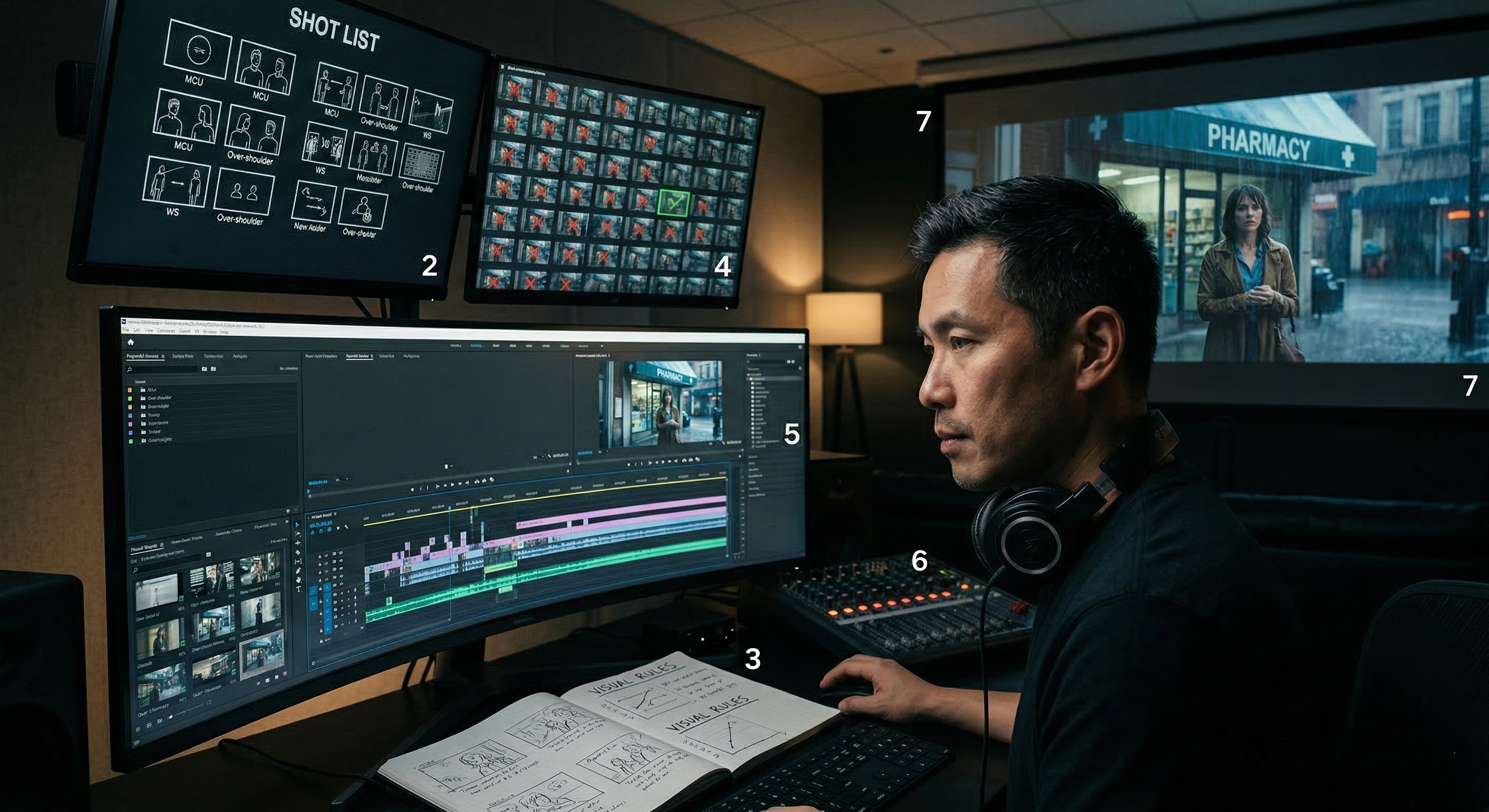
Here's an example. A weak prompt might read: "A sad woman walks through a rainy city at night thinking about her past." That's a mood, not a shot. A structured shot directive would look more like: "Medium close-up, woman mid-30s, wet hair, standing still under a pharmacy awning, green neon reflected on her face, rain falling in foreground, shallow depth of field, no movement."
The difference is specificity. A shot list breaks your moment into individual frames, each with a defined angle, subject, lighting condition, and depth. This is the document that actually drives production.
Step 3, Define the Visual Rules of the World
Every good film has a visual language. That means consistent choices about color palette, lighting direction, lens style, and texture. In AI filmmaking, this step is non-negotiable because without it, every generated shot looks like it belongs to a different movie.
Before generating anything, decide: Is the light warm or cool? Is the camera close to faces or far away? Are colors muted or saturated? Write these rules down. They become the reference point for every image you create or reject.
Common mistake number one: skipping this step and generating shots based on whatever feels good in the moment. The result is a collection of beautiful but incompatible images that can't be edited into a coherent sequence.
Step 4, Generate Variations, Then Choose with Intent
Generation is not the creative act. Selection is. The goal at this stage is to produce multiple versions of each shot on your list, sometimes dozens, and then choose the ones that best serve the story and follow the visual rules you set in Step 3.
This requires patience. It also requires honesty. A shot might look impressive on its own but break the visual continuity of the piece. Let it go.
Step 5, Build Continuity Across Shots
Continuity means the viewer believes all the shots exist in the same world. Same character appearance. Same time of day. Same color temperature. In traditional film, a continuity supervisor handles this on set. In AI filmmaking, you handle it through careful re-prompting, reference matching, and sometimes manual correction in editing.
Common mistake number two: falling in love with a single stunning shot and trying to build the rest of the film around it. This usually creates a continuity gap that no amount of editing can fix. Build the sequence as a system, not around a highlight.
Step 6, Edit for Rhythm, Then Design the Sound
Editing is where the film actually gets made. The order of shots, the duration of each cut, and the pacing between them determine whether the piece feels intentional or random. Start by editing silently. Watch the cuts. Feel the rhythm. Adjust until the visual sequence tells the story on its own.
Then add sound. This includes ambient audio, music, and sound effects. It also includes captions or subtitles if the piece will live on social platforms where most viewers watch without headphones. Audio and captions are not finishing touches, they're part of what gives a piece cinematic credibility. Without them, even beautifully generated footage can feel like a slideshow.
Step 7, Export for Social and Watch It Like a Stranger
Before publishing, export the final cut in the format your platform requires, aspect ratio, resolution, duration limits. Then do something difficult: watch it as if you've never seen it before. Better yet, show it to someone who hasn't.
Ask simple questions. Does the opening shot make you want to keep watching? Does anything feel confusing? Does the ending land? If the answer to any of these is uncertain, go back to the edit. The film is done when a stranger can follow it without explanation.
Conclusion
AI filmmaking is real filmmaking. The technology changes what generates the image, but it doesn't change what makes a sequence feel like a story. That still comes from clear decisions made in a deliberate order, moment, shot list, visual rules, selection, continuity, rhythm, and honest review.
Key Takeaways:
- "One prompt = one film" is a myth. A finished piece requires dozens of intentional decisions across multiple stages.
- Write shot directives, not paragraphs. Specificity in framing, light, and depth produces usable results; vague descriptions do not.
- Set visual rules before you generate anything. Consistent color, lighting, and lens choices are what make separate shots feel like one film.
- Audio and captions are not optional. They carry weight in whether a viewer perceives your work as cinematic or amateur.
- Watch your finished piece like a stranger. If it needs explanation to make sense, it needs another edit.